New line column charts
The new line column chart combines the column and line charts. Your search needs at least one attribute and two measures to be represented as a line column chart.
Understand line column charts
Line column charts display multiple measures as a column chart and the multiple others as a line chart. Each of these measures has its own y-axis.
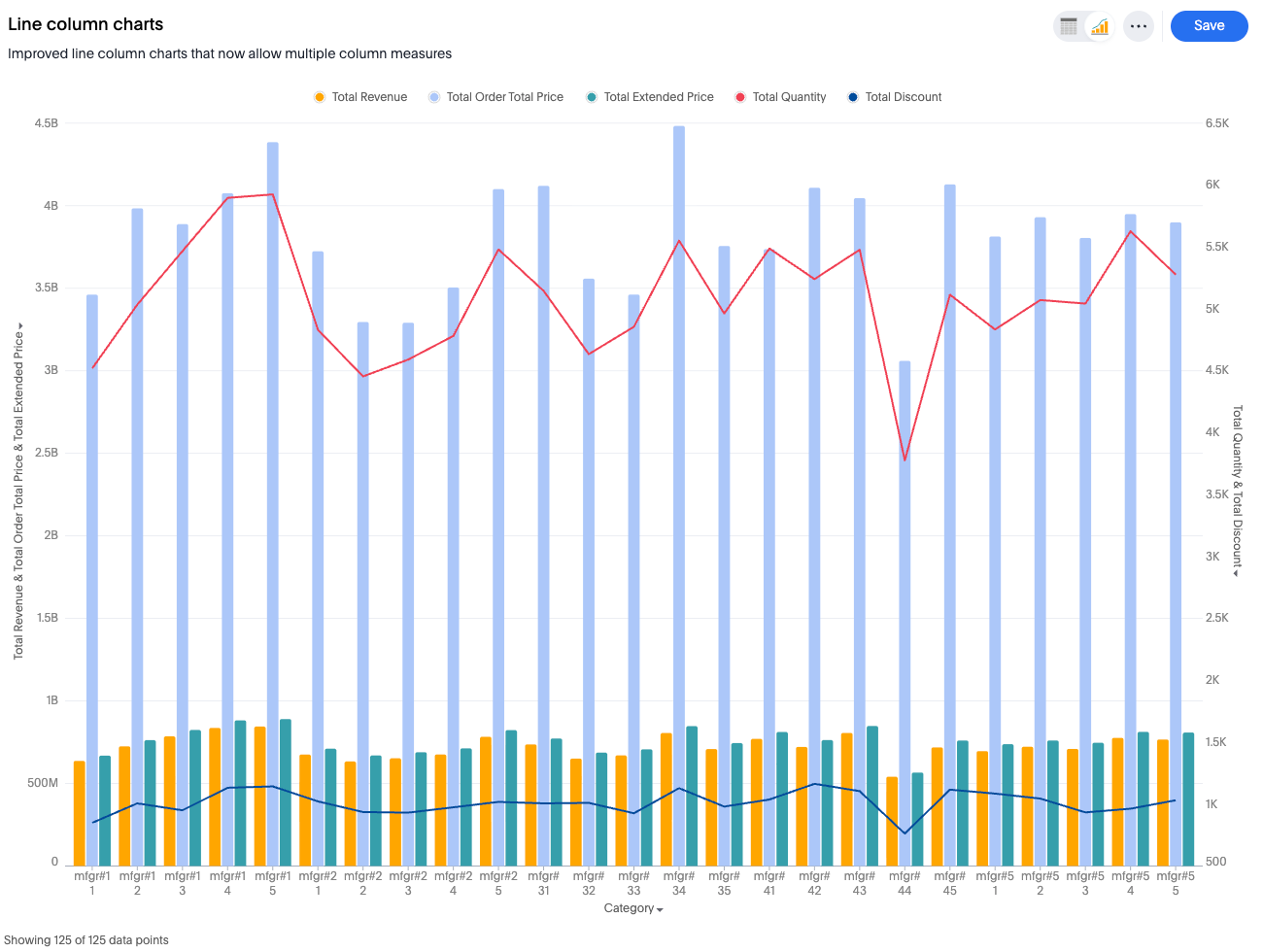
Features
-
Gradient legends (supported in the line column combo: you can enable a gradient legend on any measure column and optionally set a "Vary by" measure to drive the color scale independently of the displayed value.
To add a gradient legend, go to the Column tab, and select Enable gradient legend.
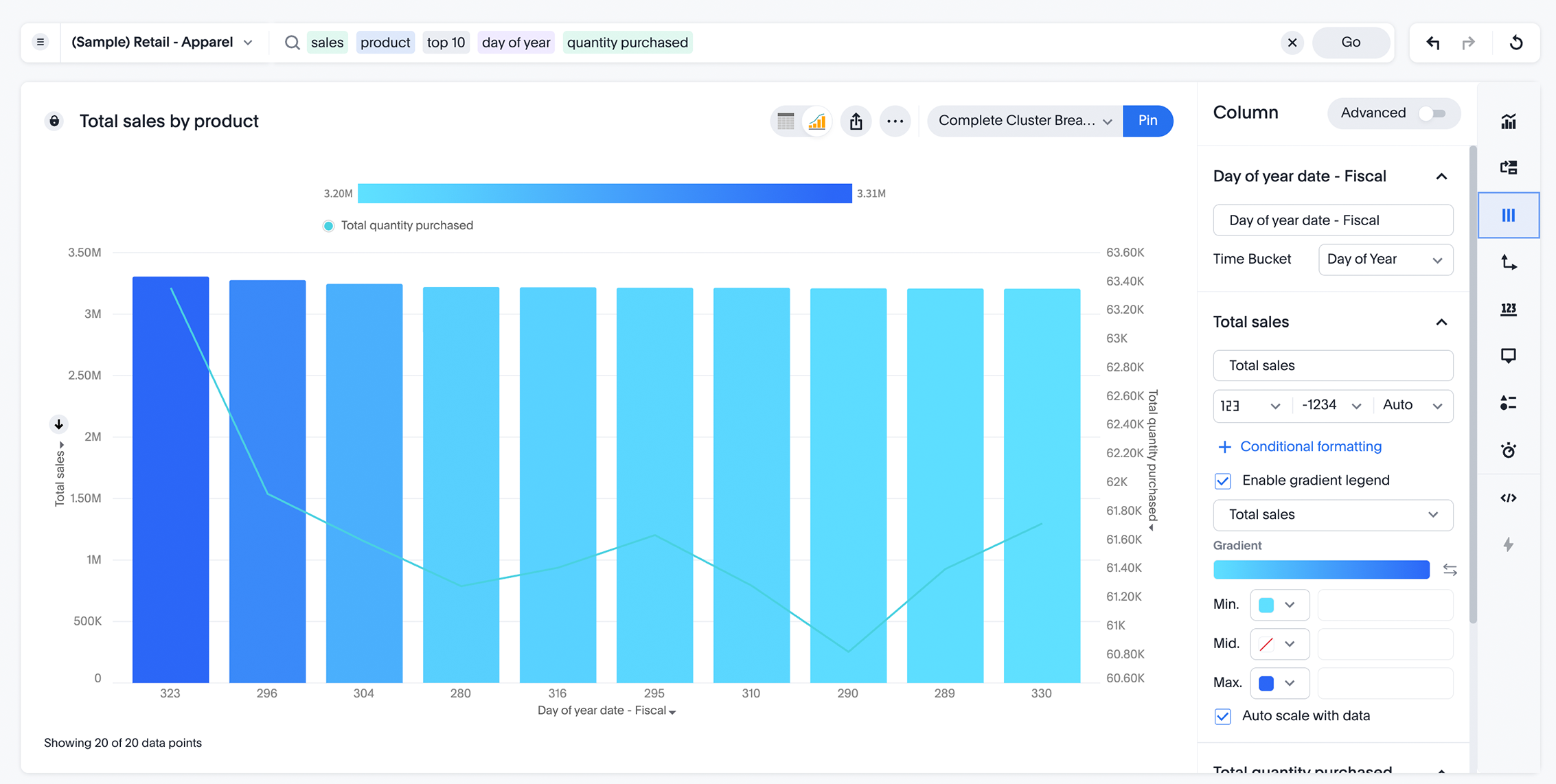
For more information, see Gradient legends.
-
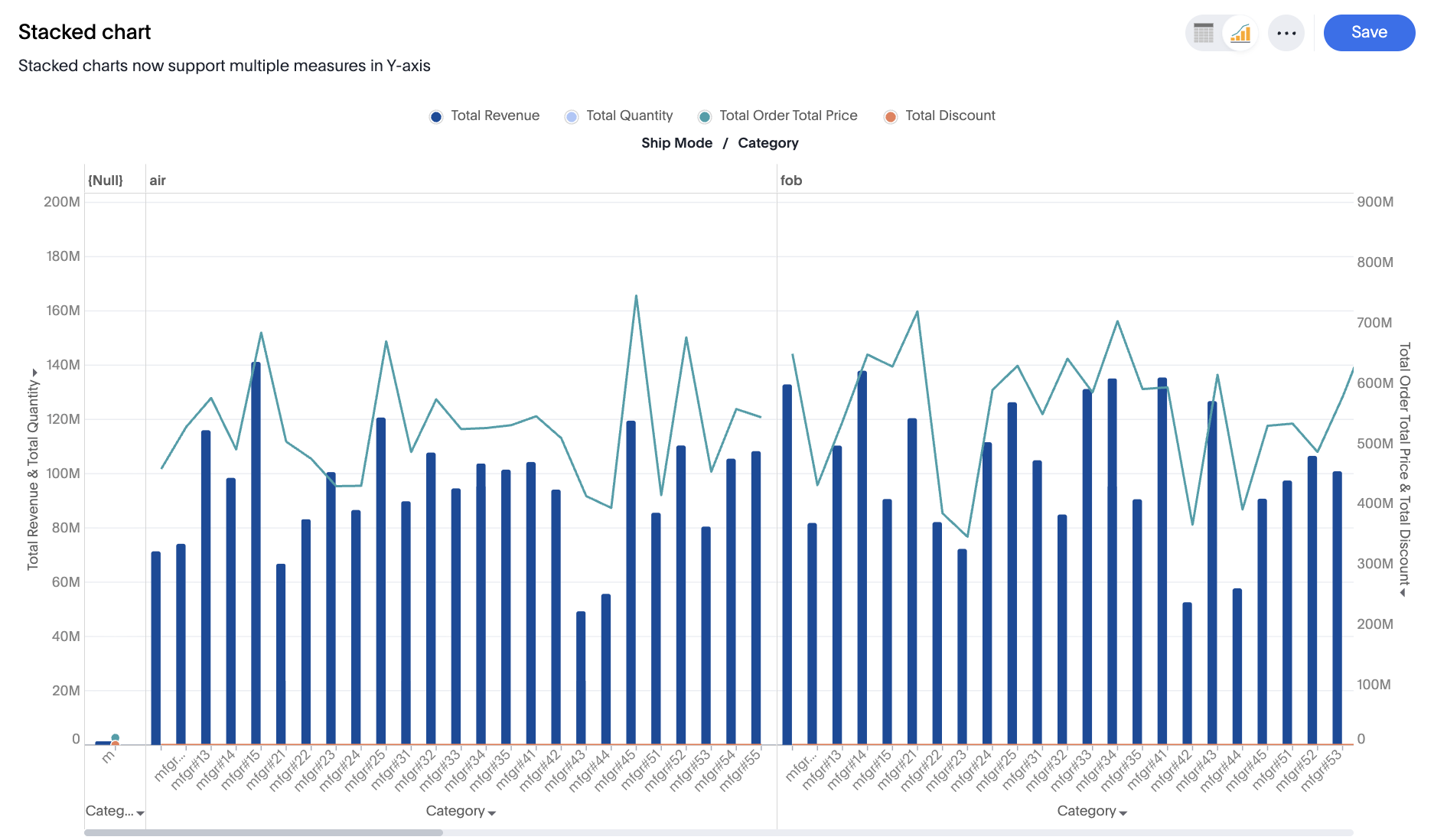
Ability to choose which measure is visualized as a bar and which is visualized as a line.
Limitations
-
Dual-axis or multivariate axis transitions are not supported.
-
Slice by color is not supported for line or column layers.
-
Adding a third axis entity is not supported.
-
Removing or emptying either of the two shared axes is not supported.
-
Using an internal dual-axis configuration within either of the main shared axes is not supported.