Delete a table with dependencies from a Dremio connection
Last updated: 08/20/2021
If you attempt to delete a table with dependent objects, ThoughtSpot blocks the operation until you resolve the dependencies. See Delete a table from a Dremio connection.
Follow these steps to resolve the dependencies before successfully deleting a table:
-
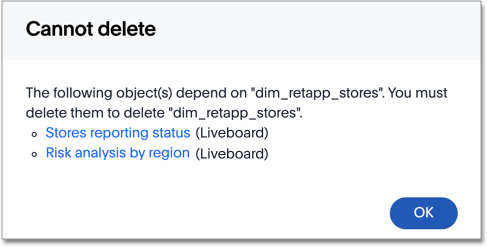
When a Cannot delete window appears, it lists the dependent objects.
-
Select the link for each object to either modify it by removing the dependency on the table, or delete it.
-
To close the window, select OK.
-
After you resolve the dependencies, you can delete the table.