New stacked column charts
The new stacked column chart is similar to the new column chart, but it stacks different segments (based on an attribute) within each column, using color to distinguish the segments. You can only use an attribute to slice with color.
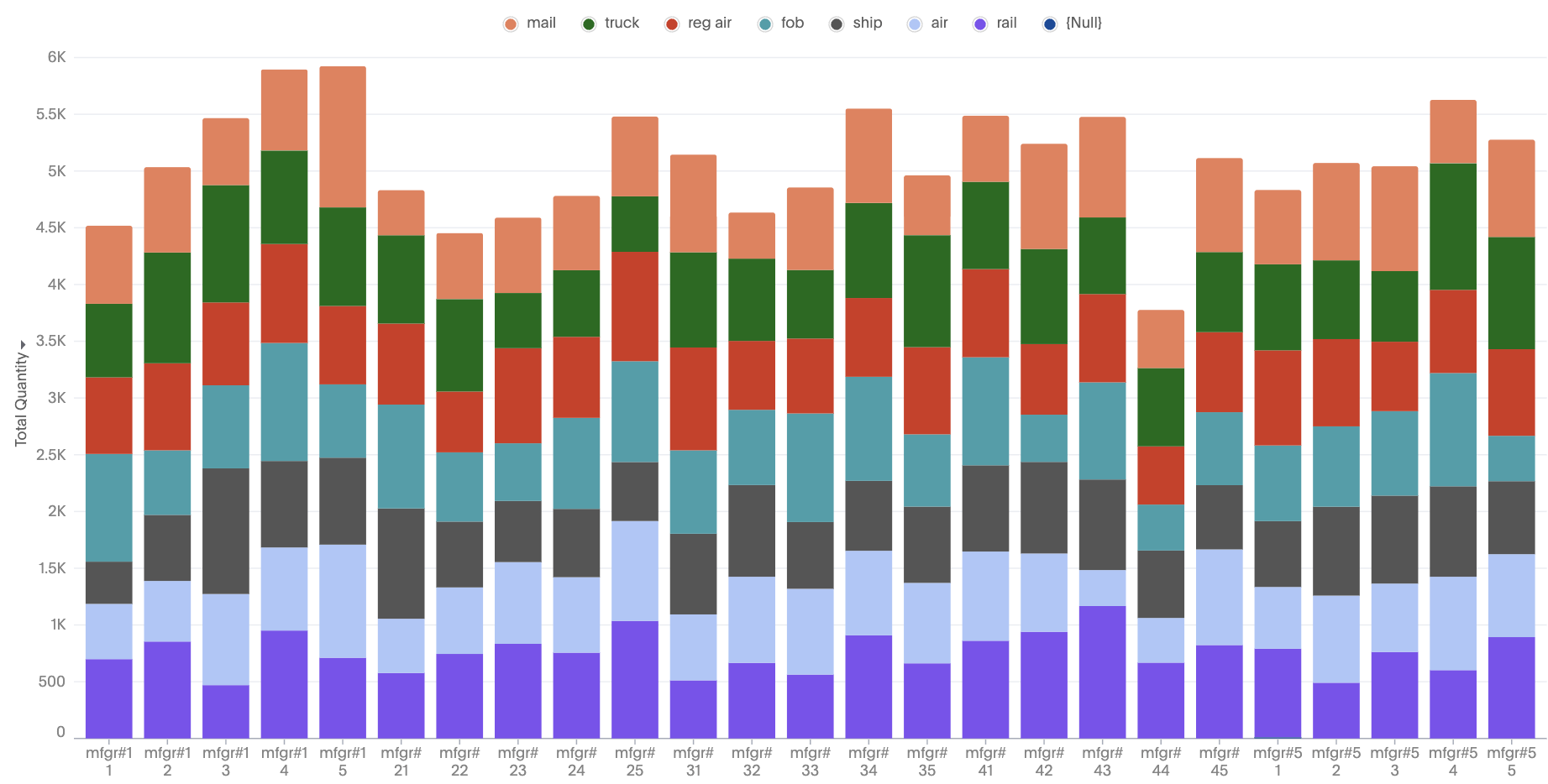
For any combination of attributes and measures, you will see a stacked column by automatically changing the configurations.
New features
-
Single-measure stacked: Automatically stack the slices of the measure and apply a stack transform.
-
Multiple-measures stacked: Measures are stacked on top of each other; no slicing by color.
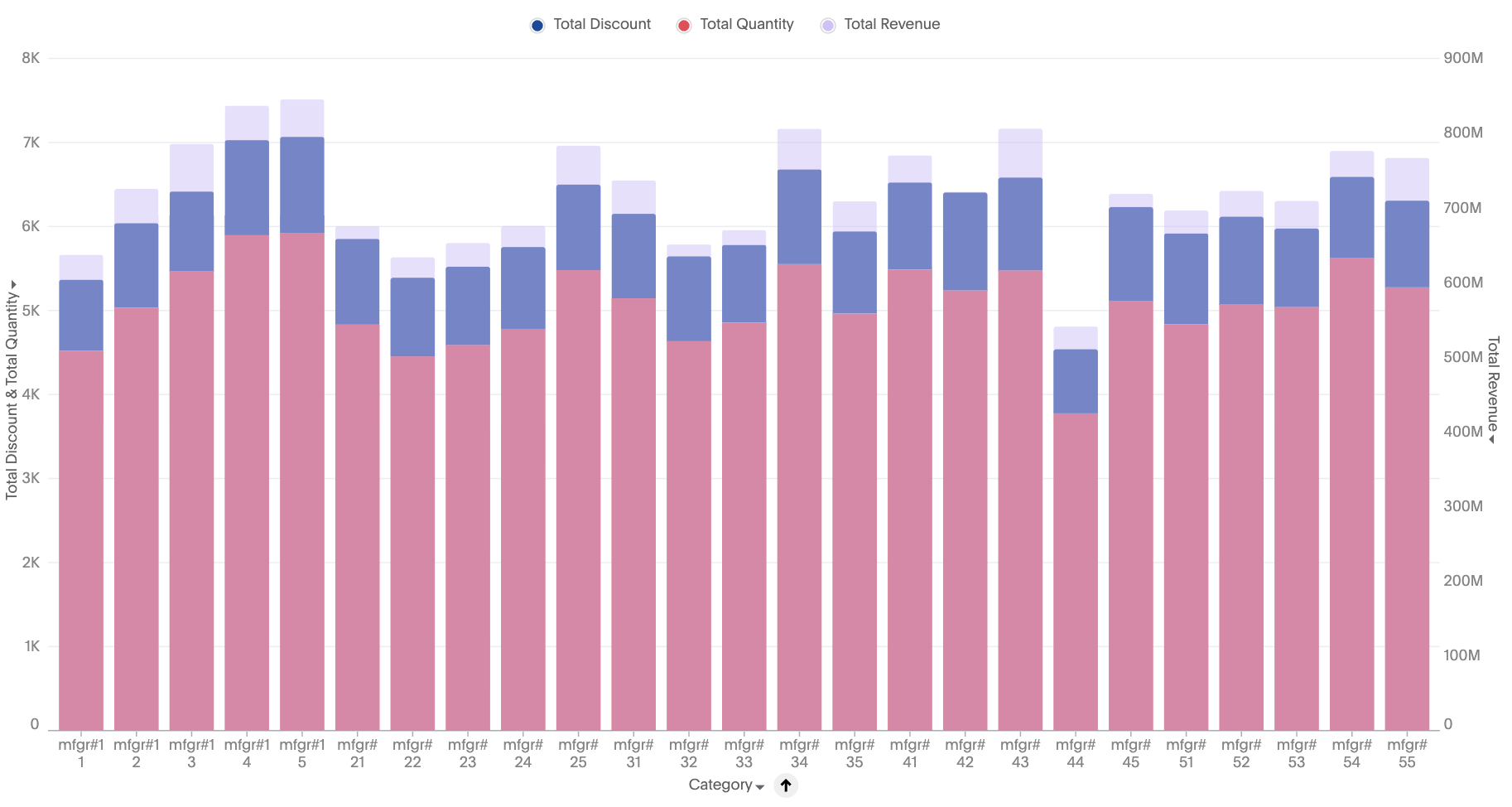
-
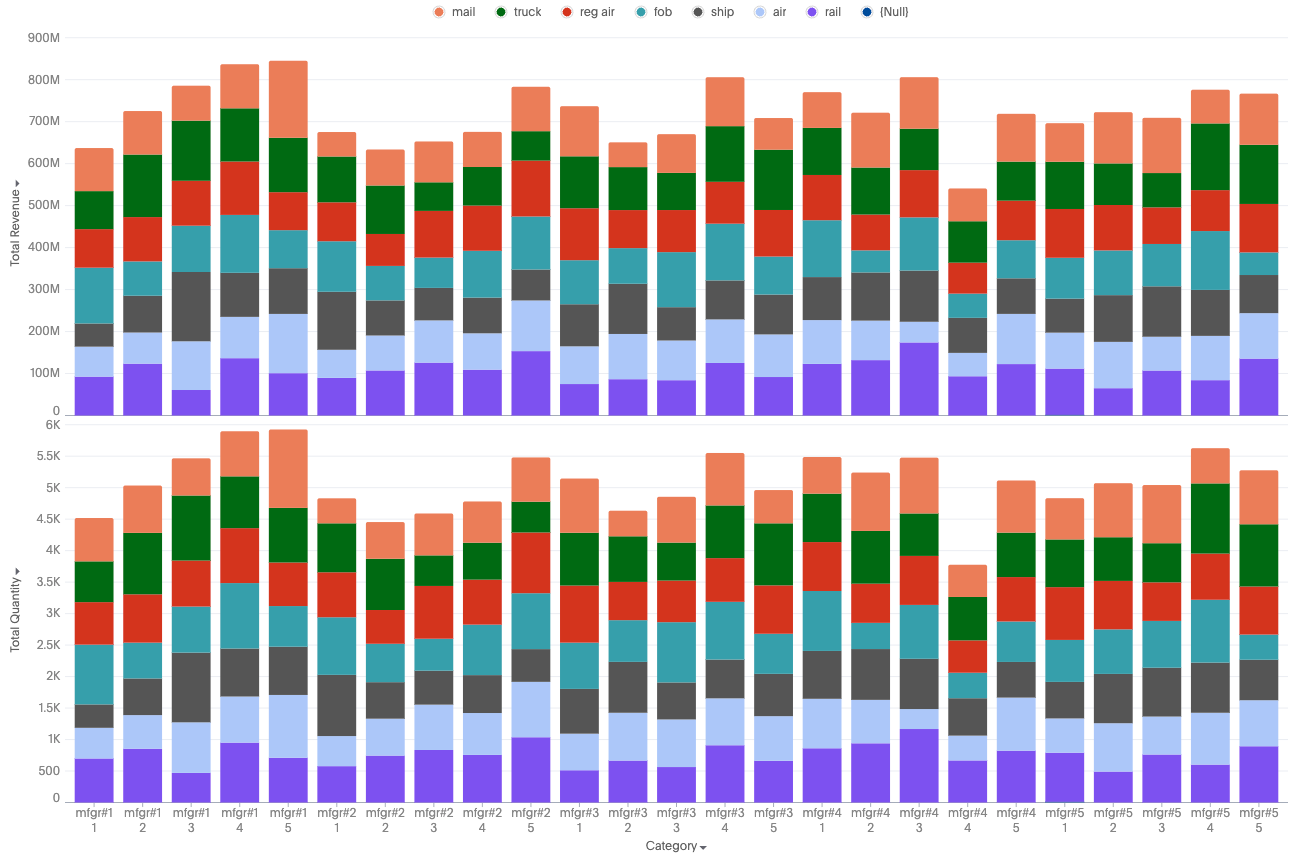
Multivariate-stacked: Each measure forms a separate stacked chart
Limitations
-
When color slicing is applied to multiple measures, the system automatically converts the visualization into a multivariate chart.
-
Shared axis configuration is not supported.
-
Dual axis configuration is not supported.


